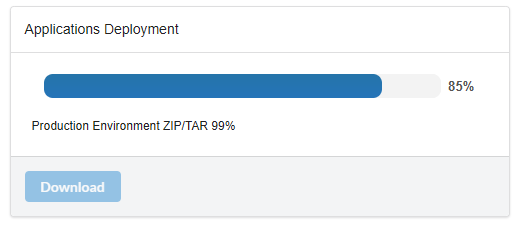
9.13.019 (2) PHP8.2 -> deploy Tar.Gz with production environment blocked

I have installed the latest version in evaluation mode : 9.13.019 (2) PHP8.2 on WINDOWS10
Deploy in tar.gz format is generated if you exclude production environment from the package.
If you include production environment, the generation process is blocked somewhere, no tar.gz generated.

Can you fix that ?

Thank you.

Are you using Edge browser?

no I use Chrome. Just tested with Edge, with the same result : blocked at 99% . see screenshot. (system : WINDOWS 10 in French).
image

Try with Firefox

I made few tests :
CHROME - KO
EDGE - KO
BRAVE - KO
OPERA - KO
FIREFOX - KO

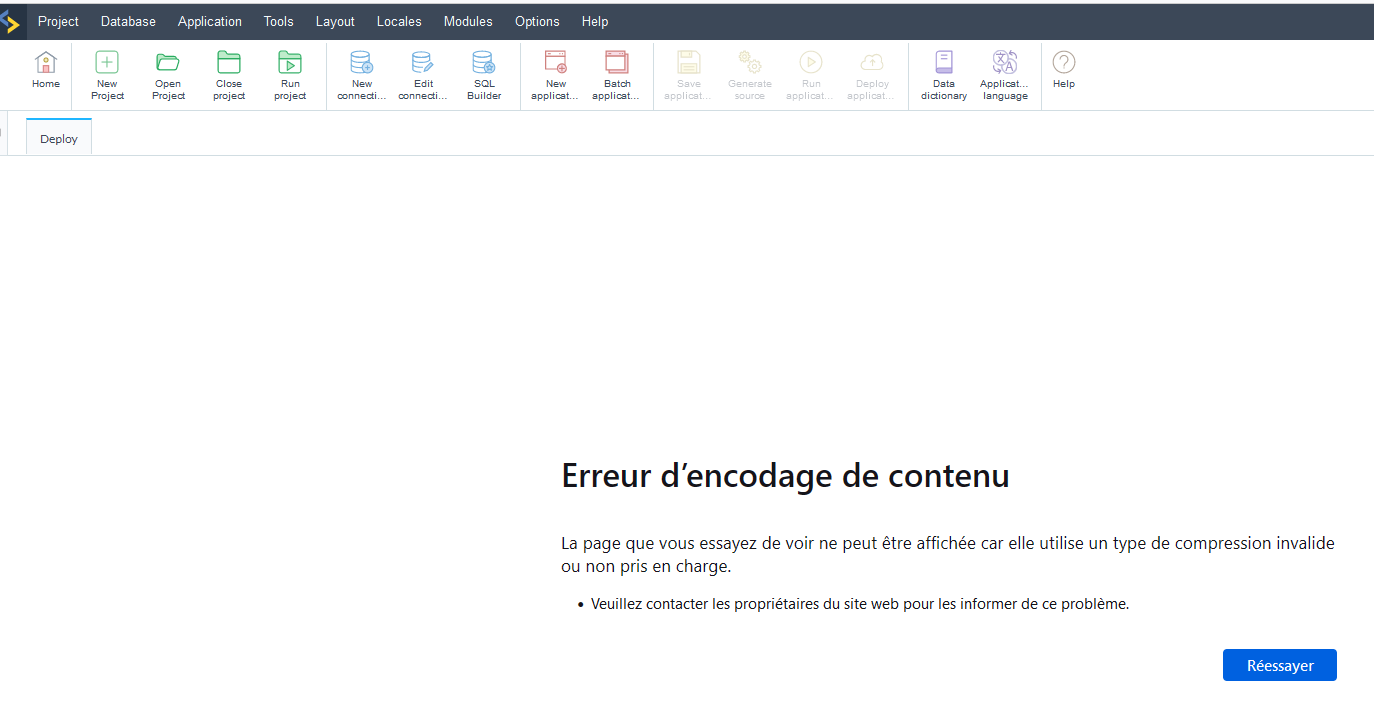
Firefox ended with the following error message (translated from french of the screenshot below)

“Content encoding error
The page you are trying to view cannot be displayed because it uses an invalid or unsupported compression type.
Please contact the website owners to inform them of this problem.”

So the error message from firefox seems to be clear.
Can someone from scriptcase take this bug into account ?

@Olicorbel,

We are analyzing the case in question and as soon as there is any news, we will provide feedback through this thread, because in the tests carried out so far, despite the delay in generating the tar.gz file and also the ZIP file, the process is completed normally.

Best regards!

When trying to deploy and I include production, no matter whether I say for Windows or Linux, it just spins (now for over 5 hours).
Only way round so far which I do not know if it will work is to deploy without production environment, download the production from scriptcase, and do it in 2 steps.
Dont know if that will work, but I dont see any alternative.

Hi, I have now the same probleme on my actual version on PHP8.1 latest release (9.13.020(3)) but I found the solution.

My laptop (WIN10) slowed down few days ago, I don’t know why yet, but with a significant impact on scriptcase.

As a consequence generating a deploy takes a very long time more than 30 minutes which generate a timeout.

Probleme solved by updating the httpd.conf of apache used by scriptcase in C:\Program Files\NetMake\v9-php81\components\apache\conf

FcgidIOTimeout 3600
FcgidBusyTimeout 3600
FcgidConnectTimeout 3600
FcgidProcessLifeTime 3600
Timeout 3600
KeepAliveTimeout 300

and restarted Apache.

The deploy goes up to the end, I will extend timeout up to 7200 if needed.

I can’t test it on version PHP8.2 my evaluation key on this version is over now, and I will not switch for now.

Hope it helps people with too slow laptops…