
I have defined an attribute {myAttribute} in OnScriptInitEvent of an Editable Grid Form.
I would like to print this attribute in the Footer of the Editable Grid Form.
I does not work. It works for Global Variable, Form Field, static text but not for attributes defined in the app. Is this the supposed behaviour ?
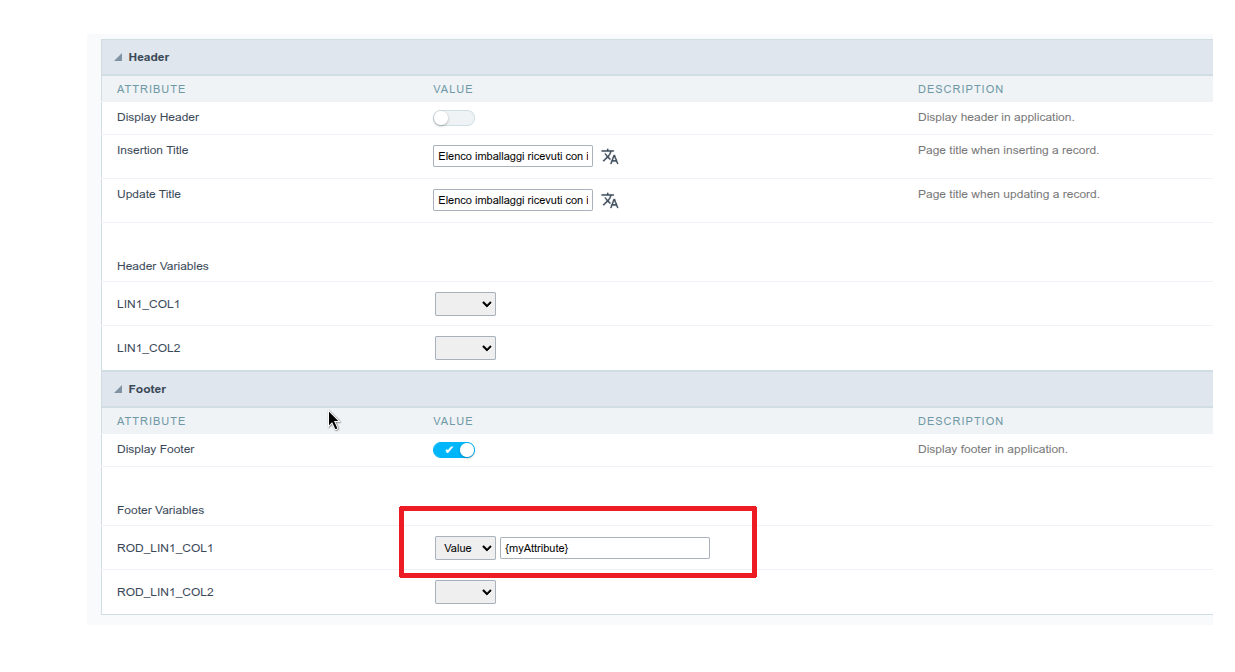
Yes, this can be expected with ScriptCase Editable Grid forms. An attribute defined in onScriptInit may be available during event execution but not necessarily exposed as a placeholder that the Footer renderer can display directly.
If {myAttribute} works in events but not in the footer, I would try one of these approaches:
- Use a global variable if the value needs to be accessible during rendering.
- Use a form field and display that field in the footer.
- Assign the attribute’s value to a field or static text before the footer is generated.
- Check the event execution order to make sure the value is assigned before the footer is rendered.
If you’re also working on hosting for your ScriptCase application or MySQL environment, you can compare uniquelinksas another hosting option.
So, if the attribute works elsewhere but not directly as {myAttribute} in the Editable Grid footer, the issue is likely related to how the footer handles application attributes rather than the attribute declaration itself.
Hello. This is exacly what happens.
I had to use a Global Variable in the footer as a workaround.
However this behaviour is inconsistent with what other apps support.
In grid, for instance, you can use Attribute in the footer.
I dont see what this is not allowed in Editable Grid form