Subject: Critical Regression After Update – RUN Button Labels Generate Invalid PHP Code and Fatal Errors SC 10.2.000(1)
Dear Scriptcase Support Team,
I would like to report a serious bug that appears to have been introduced with the latest Scriptcase update.
The issue affects the Label configuration of custom RUN buttons in Grid applications, particularly when language variables are combined with additional text.
This bug has already cost me almost two hours of unnecessary debugging.
1. Application and Button Configuration
- Scriptcase version: 10
- Application:
grid_Invoices - Custom RUN button:
mPDF_Invoices - Button type: Run
- Target: Modal
- Affected configuration field: Label
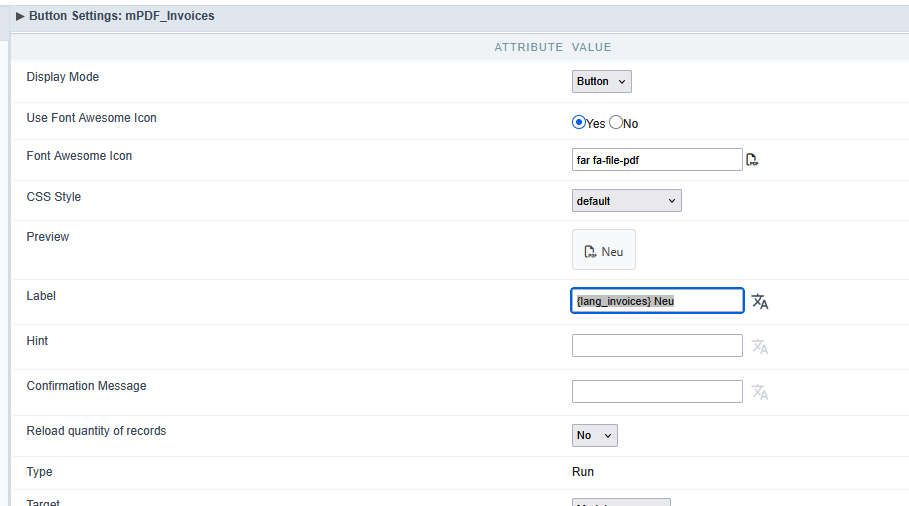
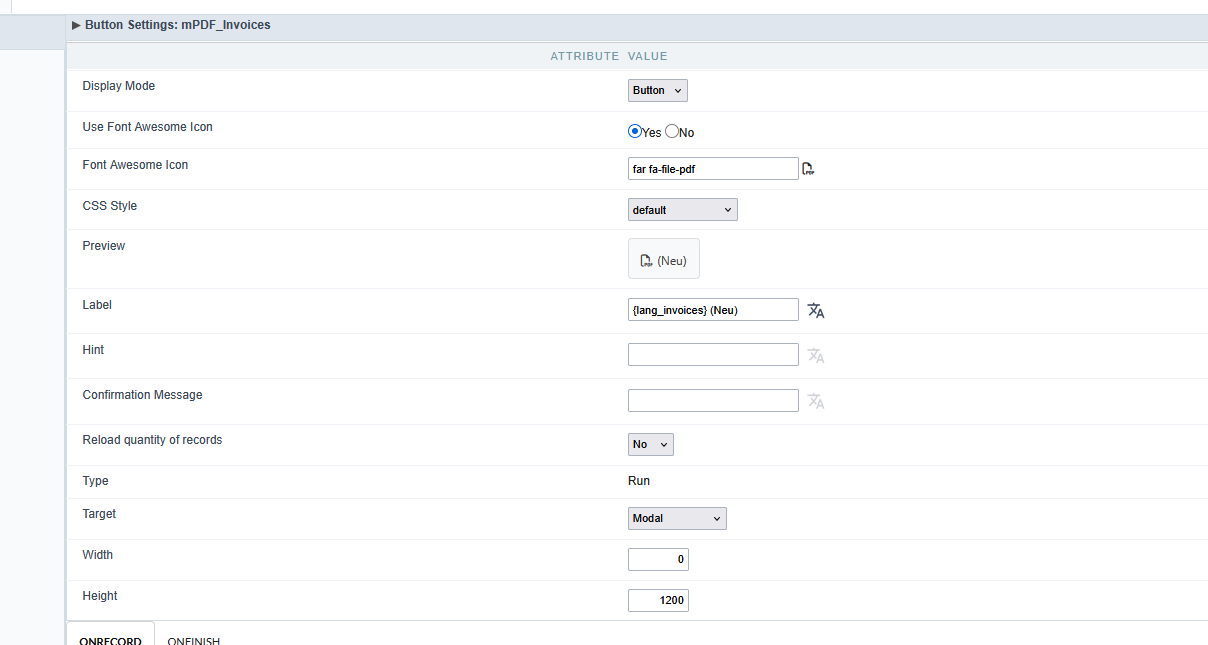
The button originally used the following label:
{lan_invoices} (Neu)
This configuration worked before the update.
After the update, the Grid application suddenly stopped working.
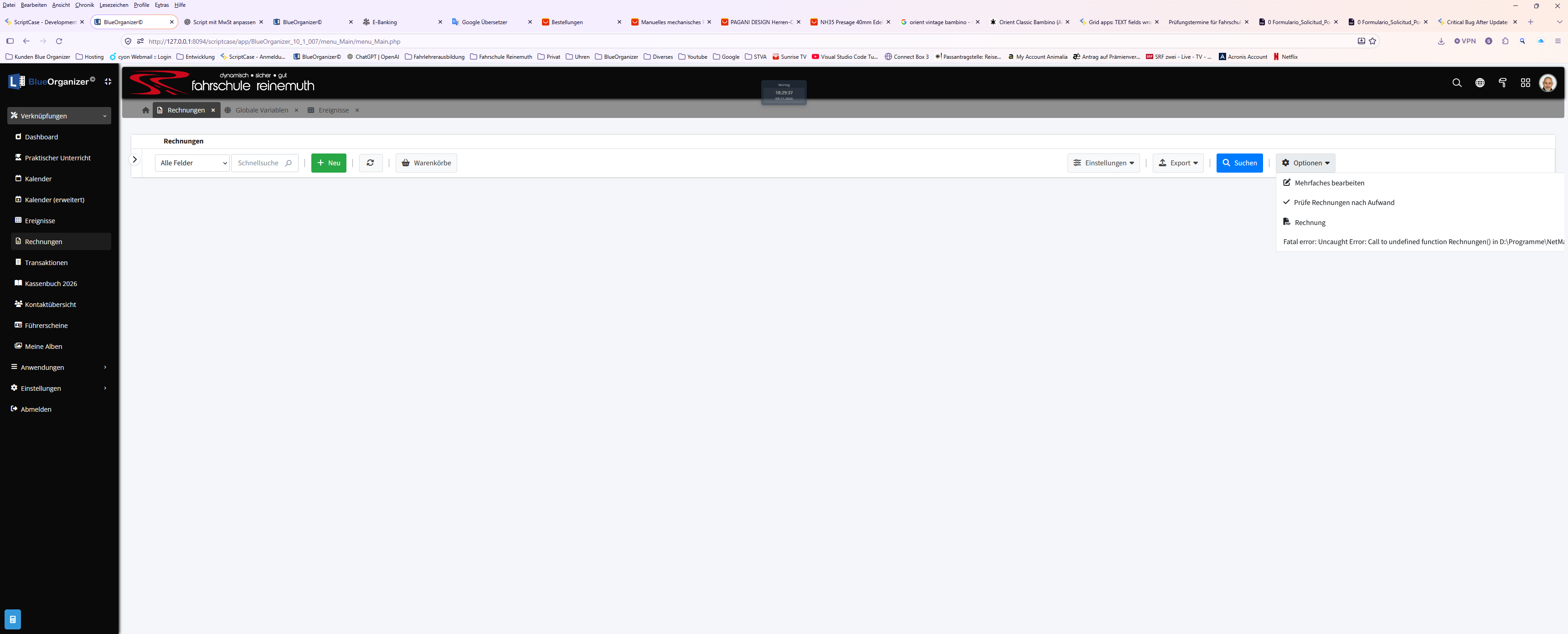
2. First Error – Undefined PHP Function
The application displayed the following error:
Fatal error: Uncaught Error:
Call to undefined function Rechnung()

File: grid_Invoices_grid.class.php
Line: 20393
Method: nmgp_barra_top_normal()
“Rechnung” is the German translation of “Invoice”.
I have never defined or called a PHP function named Rechnung() in my application.
The error occurred during Grid toolbar generation, before the RUN button’s onRecord or onFinish code was executed.
After extensive investigation, I traced the problem to the button’s Label configuration.
This suggests that Scriptcase may be incorrectly interpreting the translated label as a PHP function call instead of display text.
3. Second Error – Invalid PHP Code Even Without Parentheses
I performed another test using the following label:
{lang_invoices} alt
This time, I deliberately did not use parentheses around the additional text.
Nevertheless, Scriptcase generated another PHP error:
Parse error: syntax error, unexpected identifier "alt", expecting ")" in D:\Programme\NetMake\v10\wwwroot\scriptcase\app\BlueOrganizer_10_1_007\grid_Invoices\grid_Invoices_grid.class.php on line 20716
This is particularly important because it demonstrates that the problem is not limited to parentheses such as (Neu).
Instead, it appears that Scriptcase incorrectly generates PHP code when a language variable is combined with additional literal text in a RUN button’s Label field.
A simple label such as:
{lang_invoice_center}
works correctly and displays the translated text “Rechnungscenter”.
However, adding extra text after a language variable can cause the entire Grid application to fail.
4. Changed Language Variable Display Behavior
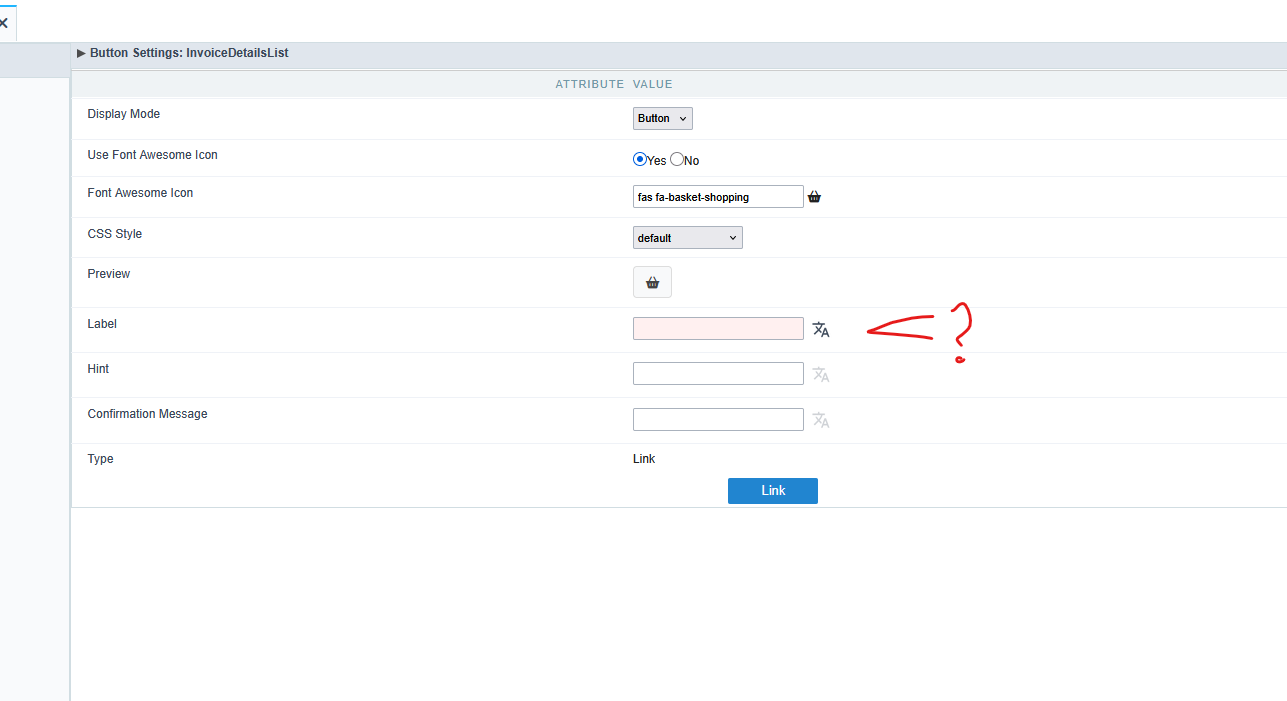
I have also noticed a significant change in the Label field since the latest update.
When the Label field is not focused:
- The field has a pink/light-colored background.
- It displays the translated text, such as “Rechnungscenter”.
- The actual language-variable reference is hidden.
When I click inside the Label field:
- The original reference
{lang_invoice_center}becomes visible. - The translated text is still displayed correctly in the button preview.
This behavior makes it unnecessarily difficult to identify which language variable is configured.
Previously, the language-variable reference was directly visible in the configuration field.
For developers working with multilingual applications, this change is confusing and makes debugging more difficult.
5. Why This Is a Serious Bug
A button Label field is intended to contain display text.
It is not a PHP code editor.
Regardless of whether the label contains:
- A language variable
- Additional literal text
- Parentheses
- Spaces
- Or a combination of these elements
Scriptcase must never interpret the label as executable PHP code or generate invalid PHP syntax from it.
Even if a particular label format is unsupported, Scriptcase should validate it and display a clear configuration warning instead of generating PHP code that crashes the entire application.
6. Impact – Almost Two Hours Lost
This bug cost me almost two hours of unnecessary debugging.
Because the first error message reported an undefined PHP function, I investigated my PHP code, RUN button events, and invoice-generation functionality.
I initially suspected a problem in my application logic.
Only after extensive troubleshooting did I discover that the error was caused by the button’s Label configuration.
The second test, using {lang_invoices} alt, confirmed that the problem is not simply related to parentheses.
This is extremely frustrating because the original configuration had worked before the update.
A simple label should never be capable of making an entire Grid application unusable.
7. Expected Behavior
- Language variables should be correctly resolved in button labels.
- Combining language variables with additional text should not generate invalid PHP code.
- Parentheses and ordinary text must not be interpreted as PHP function calls.
- Label fields must be handled safely as display text.
- Existing button configurations should continue working after updates.
- Language-variable references should remain clearly identifiable in the configuration interface.
- Invalid label configurations should produce meaningful validation messages, not PHP Fatal Errors or Parse Errors.
8. Request to Scriptcase
Please investigate this issue as a regression introduced by the latest Scriptcase update.
In particular, please examine the PHP code generation for custom RUN button labels containing language variables and additional text.
I would also appreciate an explanation of the changed language-variable display behavior in the Label field.
Please confirm whether this is a known issue and whether a correction is planned.
A label is a label. It must never be interpreted as executable PHP code.
This regression has already cost me almost two hours of unnecessary debugging and significantly disrupted my development work.
Best regards