
Dashboard Panels - Writting a formula?

I’m creating a dashboard and i already have a field from a table in my DB being shown as a sum function using the SC built in function which work fine as shown below.
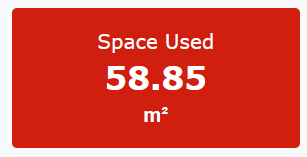
image

But what i want to do now is either add a line within this widget or a new widget which will do a simple calculation but i cant find anywhere within the dashboard where this can be done.

I want to display the result of {areaused} SUM - 3500

areaused is a field in my DB and 3500 is just a manually added number to the calculation or could be a field
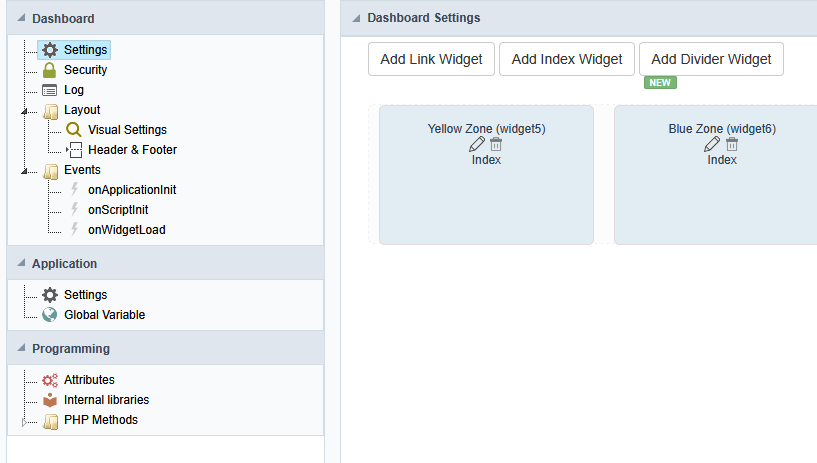
I cant see anywhere how i can add this.

The easiest way to work with dashboard is to use a table to prepare all the data you need, you can do it in onApplicationInit or onScriptInit

Then you use the pre calculate data in you widget

Thank you, but do you know how i would write he code to perform the following;

So i will write the code inside my form for the table “Batches”

{new_field} = {total_area} - {areaused}

My problem is i need the field {areaused} to be the sum of all the fields in the table WHERE {location} = “Green Zone”

then {total_area} is a number from another table named “Location” and will get the value matching “Green Zone” where the will be only one record in the table “Location” matching the criteria and the field {total_area} contains a number

You need to create a table (ex. dashboard_data) with all the field you need in your dashboard (new_field, …)

Then in onScriptinit use sc_lookup to gather all the data you need SUM(area) as total_used, total_area, …

Do your maths: new_field = total_area - total_used

Save the result in the table (dashboard_data)

Use it in your dashboard