
Insane file sizes

When I try to extract TAR file (on the server - I think it’s running CentOS) I get this error

[ATTACH=JSON]{“alt”:“Click image for larger version Name: 2018-10-27 21_59_10-cPanel File Manager v3.jpg Views: 1 Size: 56.3 KB ID: 85243”,“data-align”:“none”,“data-attachmentid”:“85243”,“data-size”:“full”,“title”:“2018-10-27 21_59_10-cPanel File Manager v3.jpg”}[/ATTACH]

Netmake need to shave some crap of generated projects. I was shocked today to discover that TAR file was 718 Mb while ZIP file was only 238 Mb. I’m pretty sure it is not the TAR method which does the file so fat (there must be some extra crap going in there). Anybody else notice almost triple size difference ?
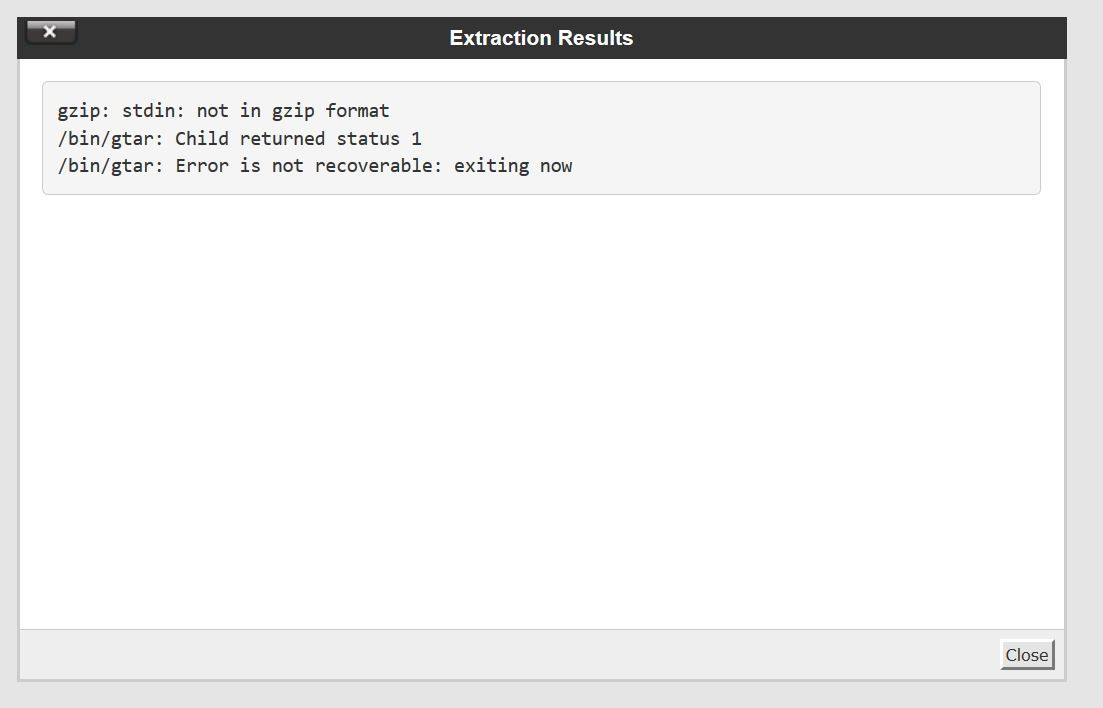
2018-10-27 21_59_10-cPanel File Manager v3.jpg

Same problems here. To extract the tar.gz generated file just rename your archive.tar.gz to archive.tar und extract it with tar -xf archive.tar
I’m trying for days now to generate a valid tar or zip archive for my production server without success
Even if you test the SC generated archive and have a look at the file permissions you will find all permissions are 666 (rw-rw-rw) Why?
The problems occur since version SC 9.2

NetMake doesn’t appear to have anyone who does Linux. I’ve posted the instructions elsewhere on this forum for setting reasonable permissions.

You don’t have to rename the .tar.gz file to extract it with tar. Linux programs don’t care what the filename is, only what the file itself contains. You can test a file via “file filename”. That will tell you what that file really is. The “man file” command will show you its manual.

On CentOS, I use the zip file option. Zip does a much better job of compressing, though it’s a bit slower. (On CentOS, you’ll use “unzip filename.zip” to extract, “unzip -l filename.zip” to list the contents.

Please lookup the proper shell commands in Facebook group. It works well.
I will test with renaming the TAR file,…will see…