Hi,
Thank you very much for your answer and your video.
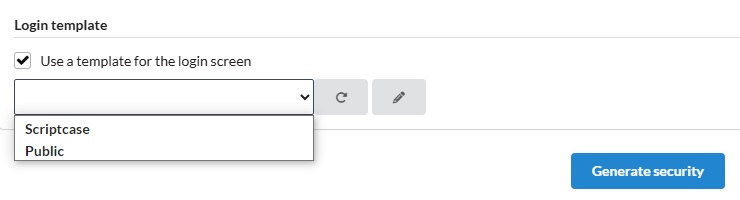
The problem is that if I select “Use template for the login screen” without a template selection (which I can’t select), the security generation failed. So I have to generate it without this option, which create a control without the ‘set the template html manually’, so the html and libraries are not accessible from this type of control as you show in the video.
I don’t know if it’s possible to change the type of control after the generation to get the ’ user html’ menu ?
So the only way I see for now, is to create manually another app_login with ‘manual html template’ option and to copy fields, and codes from the one generated by the security module to the new one.
First time I have this type of issue, and I hope I am not the only one.
So any suggestions are welcome.