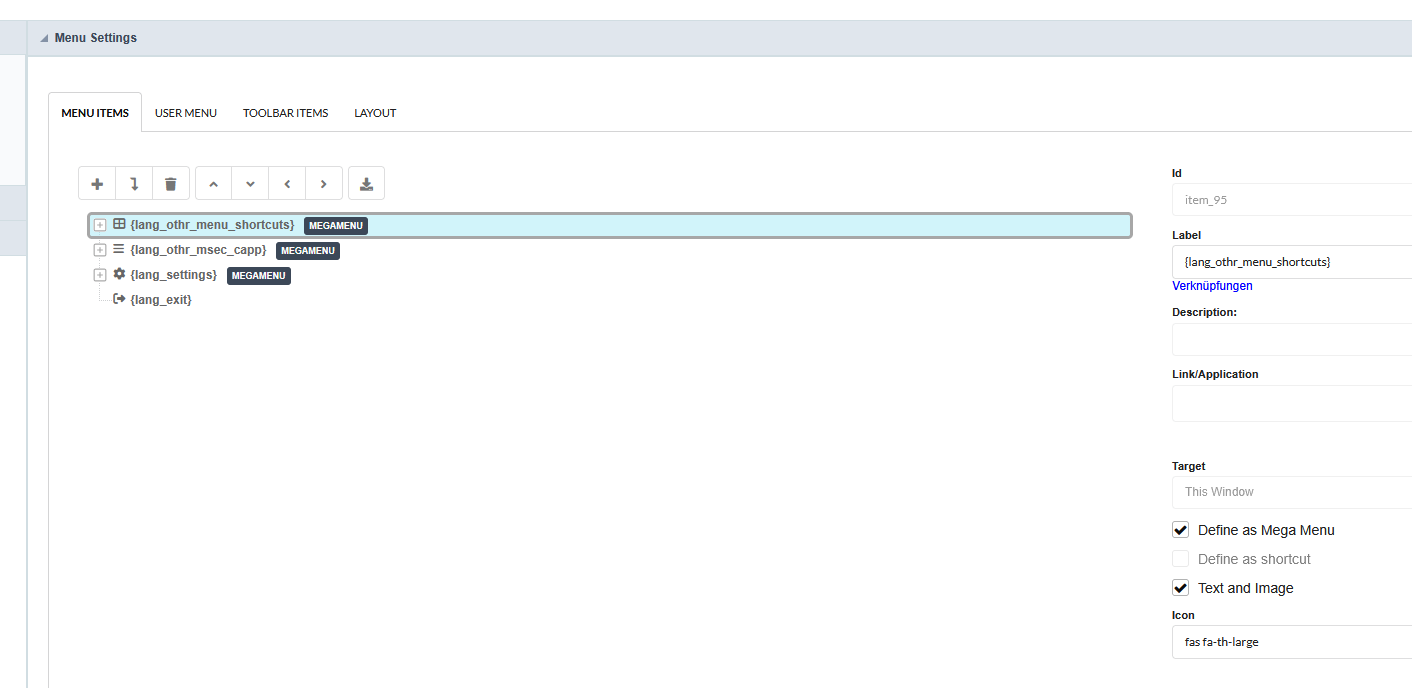
When I define the shortcuts as a mega menu in the menu application, the result doesn’t look very good!
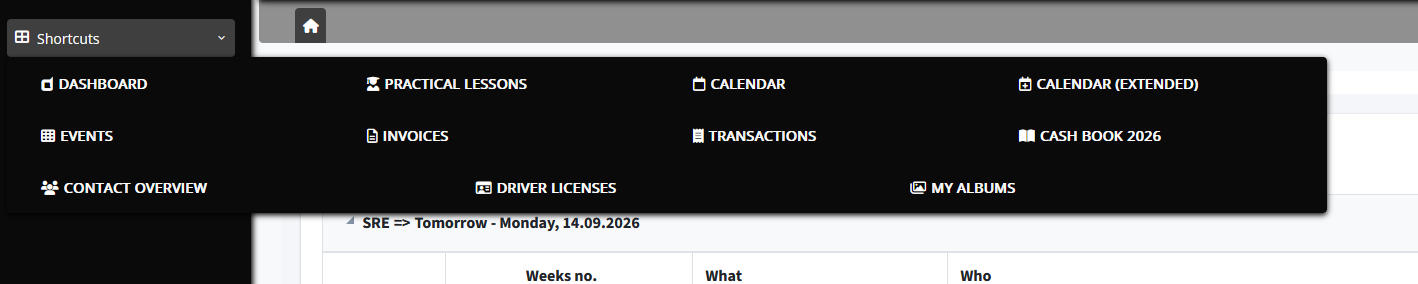
And sometimes the mega menus don’t close at all!

When I define the shortcuts as a mega menu in the menu application, the result doesn’t look very good!
And sometimes the mega menus don’t close at all!
Hi Salvatore,
I can reproduce something similar with the vertical menu in SC10 – the mega menu panel is rendered outside the sidebar container, so it overlaps the content area, and the close-on-click-outside handler seems to be missing in the new theme. That’s a theme/JS issue, not your configuration.
Two workarounds until it’s fixed:
Don’t define the shortcuts item as a mega menu. Keep it as a normal submenu and only use “Define as Mega Menu” on items in the horizontal menu – that’s where the mega menu layout is actually designed to sit.
If you need the mega menu, add a small CSS/JS override in the menu application (Layout → Header/Footer or a Blank app included in the layout):
For the bug report, it helps NetMake if you add: exact SC version/build, browser, menu type (vertical/horizontal), theme name, and whether it happens in a fresh test project too. If you can, post the generated HTML of the menu panel – it makes the z-index/position problem visible immediately.
Hope that helps,
Przemysław
Hello,
Thanks for looking into this. I am using version 10.1.002.
At the moment, I am not running the menu as a mega menu.
Browser: Firefox 155.0.1 (64-bit)
Theme: SoftCloud
Menu Theme: Monochromatic Black
Horizontal