
Zendid in windows server and upload image files LONGBLOB

Hello, I have several platforms with the same problem. In development mode, everything works; images are uploaded.

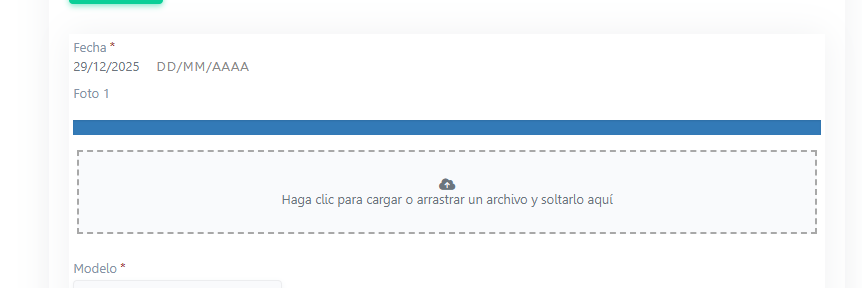
But in production mode, the images are uploaded but not displayed, and they aren’t saved to the LONGBLOB database.
I ran a diagnostic and I see this problem related to permissions; I don’t know if that’s the cause.
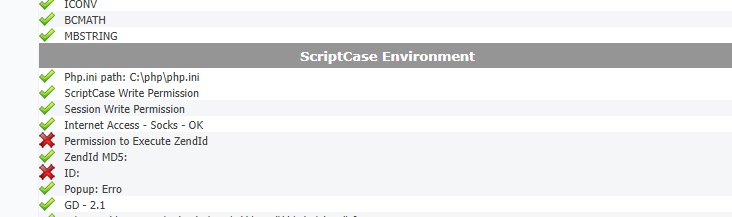
For ZendId.exe, in properties if unblock option is present be sure to selected it

Be sure that IIS as Read & Execute permission selected for your site

Hi, I’ve granted all permissions to the website, the temporary folder, the session—everything—and it’s still not working.

I’ve also enabled Zend in the PHP extensions.

Ok, but be sure you granted all permissions to the right user, usually IIS_User or WEB_User or something like that.

Also the unblock option, if not set can do a lot trouble

I can’t fix that error and my client is already desperate because he can’t upload his photos.

The fact that it work in development, but not in production point to a configuration problem.

You have to compare both configuration until you find what is wrong.

In php.ini

file_uploads = On
upload_max_filesize = 64M
post_max_size = 64M
max_file_uploads = 20
memory_limit = 256M

In MySQL or MariaDB

[mysqld]
max_allowed_packet=128M
innodb_log_file_size=256M
innodb_log_buffer_size=64M

Also check your DB error log

In IIS
requestLimits maxAllowedContentLength = 104857600 (100 MB), need to be >= post_max_size
httpRuntime maxRequestLength = 102400 (100 MB)

Do some tests with very small image, less than 100KB to see if it work

I did everything you told me and it still doesn’t work; it won’t upload images, not even 10 KB.

I’m desperate.
PHP 8.3
Windows Server 2016

PHP 8.3 is not supported yet, go back to 8.1 maximum

As you can see, I already did that, I downgraded it to version 8.1 and nothing works

It works locally on the server, but when I connect via https through the public IP address, it doesn’t work.

The problem was fixed; it was port 22. The firewall was blocking it.
You don’t need to install anything, not even OpenSSH. Just check the firewall for port 22.

Thanks my friend, I think so much work clouds one’s mind.

Good news

Stay with PHP 8.1, Scriptcase compatible with PHP 8.2 was suppose to be release in December, so it should be in the next few days

Happy new year